
Best PromptWatch alternative for B2B | Pricing, reviews and more


PromptWatch is genuinely one of the better AI visibility tools in the category. Here's our honest review.
PromptWatch Reviews
If you search for PromptWatch reviews online, you'll find people who love it, but also people raising genuine concerns:
"Promptwatch has more UX errors and bugs than other solutions. There is currently no way to escalate and resolve them. We're seeing an increasing amount of bugs in the user interface that can't be dismissed or flagged. This means some core reports we share with customers are faulty."
-Lari Numminen, Generate More (60-day hands-on evaluation across 8 SaaS clients)
"Knowing how to optimize presents a steep learning curve... the UI gets quite busy with all the knobs, buttons, and features."
-Anonymous IT & Services reviewer, G2
Here’s what you’ll find when you want to know what people are talking about Chosenly:
"We closed a $120k USD client from ChatGPT. The best part was the lead said that they already trust us because ChatGPT deep research recommended us. I've only ever heard this when a lead comes from a human referral before this!"
-Founder, B2B SaaS Agency
"We put our trust in Chosenly after seeing their knowledge about LLM visibility was early on ahead of the established SEO analytics firms. That trust turned out to be well placed and after a few months we won our first 5-digit deal from LLM visibility."
-CEO, Fintech SaaS
How to pick the right AI SEO tool: PromptWatch vs Chosenly
There are seven things that decide whether an AI SEO tool is worth paying for. We tested PromptWatch and Chosenly against each one.
1. What does setup and TTV look like?
Setup and time to value are the gap between paying for a tool and getting anything back from it. The shorter that gap, the sooner the tool is doing what you bought it for.
PromptWatch

- Competitor onboarding is genuinely better than most tools in this category. You paste a competitor's link and PromptWatch pulls the name automatically (you don't have to enter the URL and the name separately). I like this because i had to spend a lot of time manually adding both names and urls separately in Otterly AI.

- The data shows up quickly once you're set up. The dashboard populates fast.
Chosenly
- Connect your GSC, the tool auto suggests your personas and competitors. When you accept these suggestions, Chosenly builds your keyword and prompt list automatically. Prompts that shouldn't be tracked are filtered out before you see them. The setup takes 5 to 10 minutes.
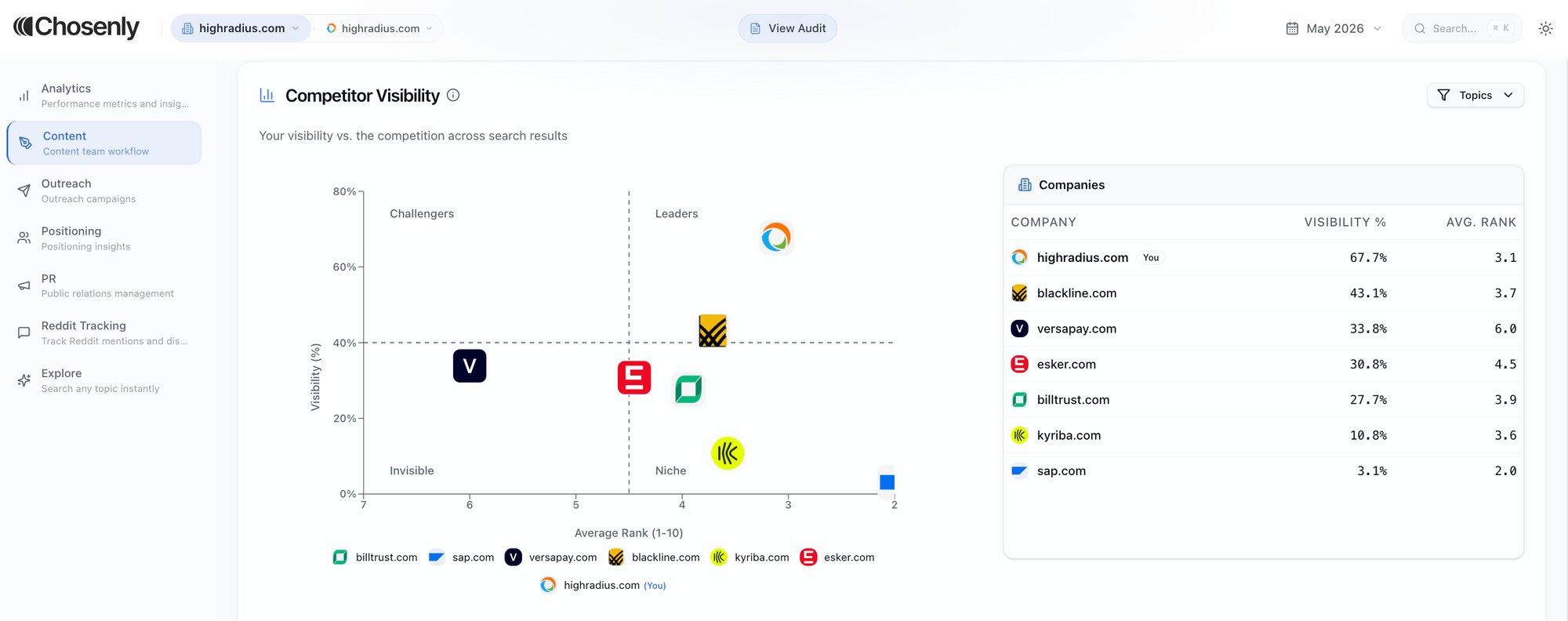
- You do not have to wait for the full report before you can start. A working dashboard with real recommendations is ready the moment you log in. The full report, built from prompts specific to your brand, is ready the next day.
2. How reliable is the data the tool shows you?
Every AI visibility tool starts with prompt tracking. The question is what you're tracking, and how. Get this wrong and your visibility score moves around for reasons that have nothing to do with what you actually did.
PromptWatch
- The visibility score was definitely a miss. PromptWatch suggested 10 prompts that were highly relevant for our partner agency. The dashboard showed 19% visibility, ahead of all competitors. I know this is definitely not a real picture of visibility across the category. It is so because several of those prompts were branded, meaning they included the company name. You will always show up for branded prompts whether you have done any GEO work or not. When GEO tools evaluate branded and non-branded prompts together and generate a visibility score, the number gets inflated and you can no longer use it as a meaningful KPI.

- With PromptWatch, you cannot tell whether a page you need already exists on your site or not. So you cannot make a confident call on whether to create new content or optimize something you already have. The tool only sees pages that have already been cited, which means anything you have written but not yet been cited for is invisible to it.
- Every cited URL appears in the same flat list. A competitor's homepage getting cited looks identical to a listicle you could get yourself added to. There is no distinction between what you have to work on and what you can ignore. So you end up making that call yourself, in real time, every time you sit down to do the work. It increases the time to do the work by a lot. And it gets annoying.

Chosenly
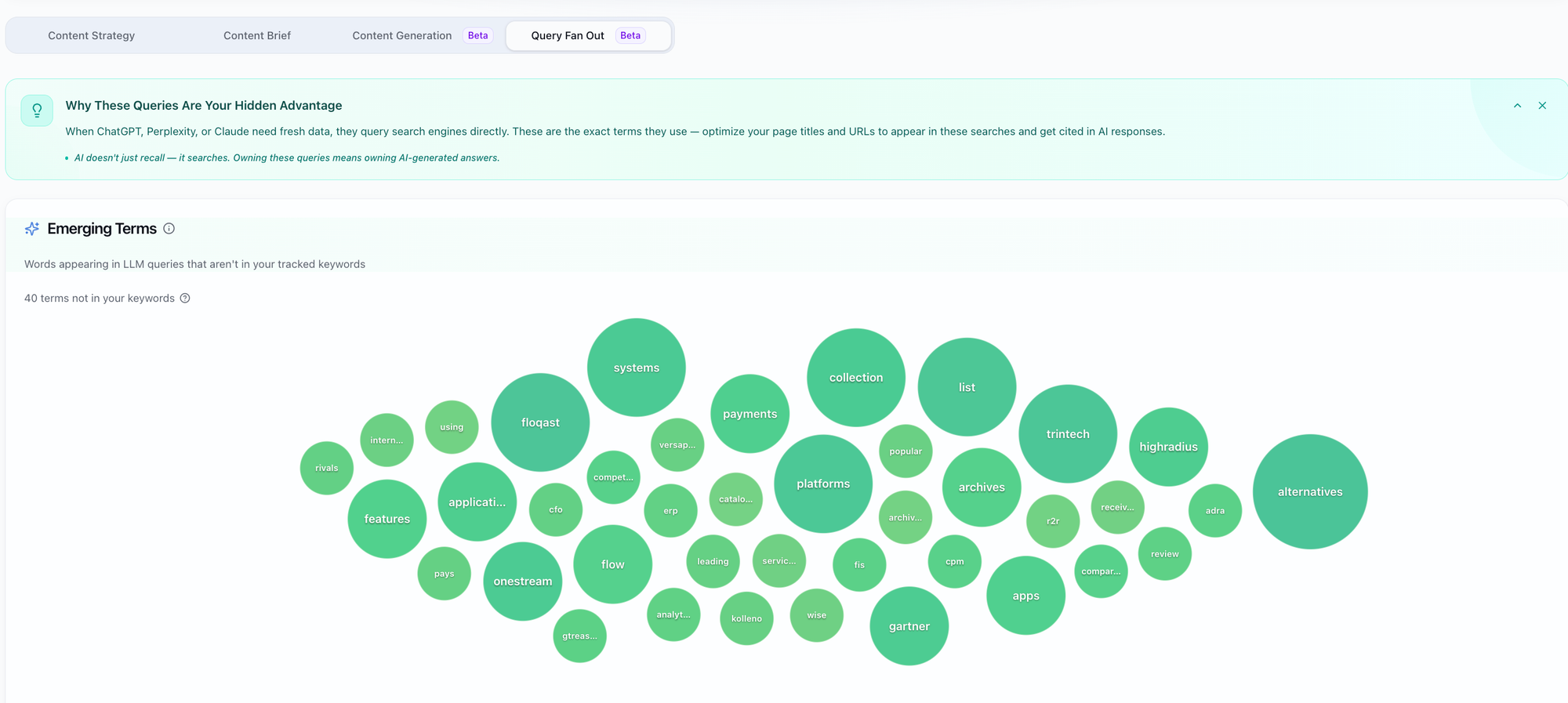
- Chosenly tracks seed keywords and buyer criteria, the two things every variation of a purchase-intent prompt has in common. Your visibility score reflects how you perform on the actual question buyers are asking, not just the phrasings you happened to write down during setup.
- Prompts that can never return a vendor recommendation are filtered out automatically so they don't drag your score down.
- Citations that are not actionable are filtered out. If a competitor's homepage is getting cited, there is nothing you can do about it and it does not show up in your work queue.

- When you sign up for Chosenly, it runs your prompts fresh. Other tools query a pre-existing database of prompts they have already been tracking. If your specific prompts are not in that database, the data either does not exist or is incomplete. Chosenly always has 100% coverage on your prompts because it searches for them specifically.
3. Which parts of AEO work does the tool support?
There are a lot of levers you can pull to improve your AI visibility. A tool that only covers a few of them boxes you into a narrow playbook.
PromptWatch
Of the tools we've reviewed in this series till now, Peec AI, Scrunch AI, and Otterly AI, PromptWatch covers the most ground. It's the most interactive of the four. It:
- Shows actions for Outreach, Content, Reddit, and setup issues that you might have.
- AI crawler logs and traffic attribution available on higher plans.
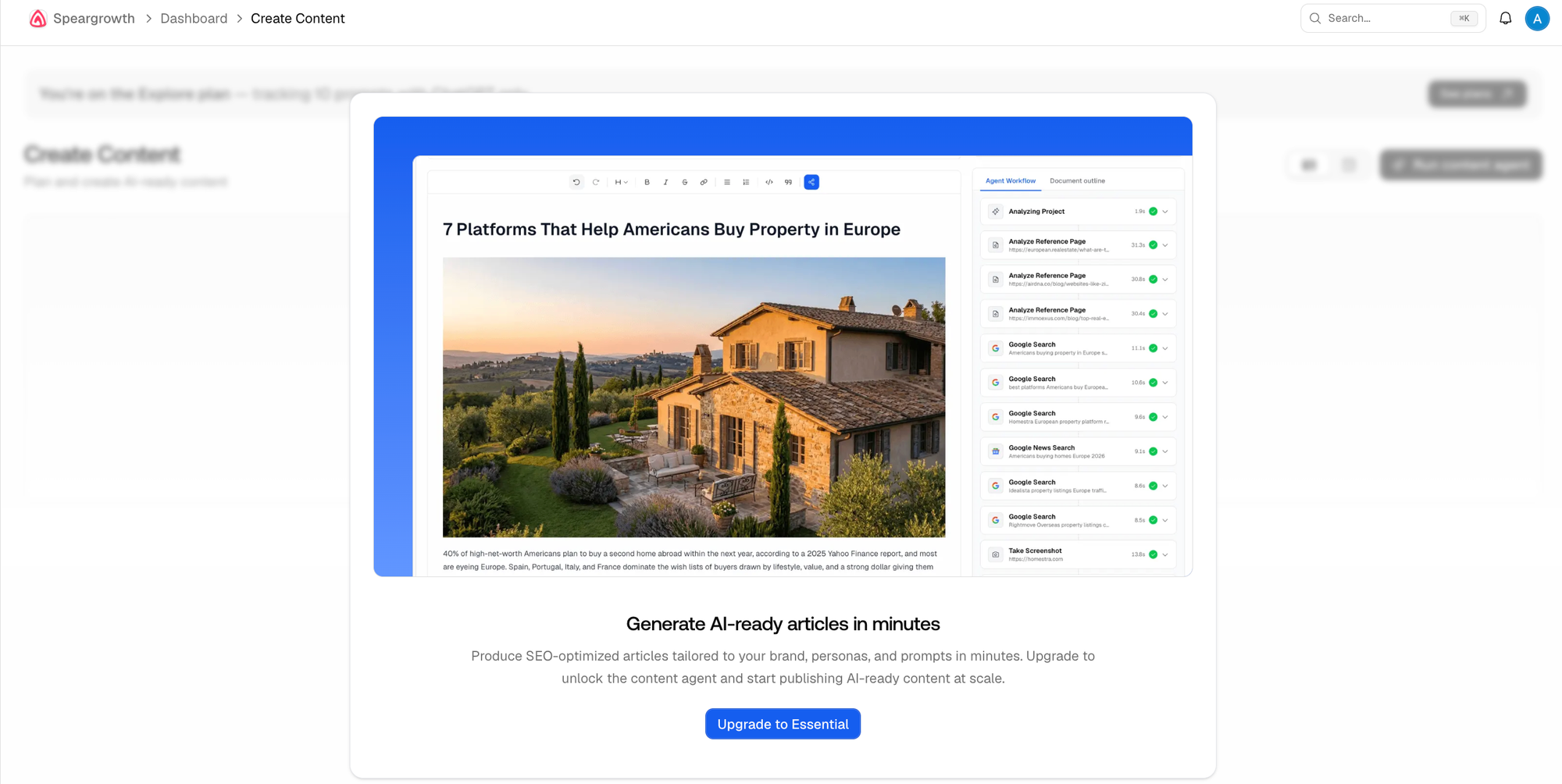
- Content Agents for AI-generated articles.

Chosenly
- Supports content creation, content updates, content repurposing, listicle outreach, Reddit, PR, and positioning.

4. How do you decide what to work on first?
GEO surfaces a lot of work. Even a small B2B company ends up with a long list. The tool's job is to tell you where to start, otherwise you end up doing nothing.
PromptWatch
- Recommendations come with data and a reason attached. PromptWatch shows you what to do and why. That is a genuine step forward from tools that only surface monitoring dashboards. However, the Actions tab shows almost every suggestion tagged High and medium severity. There is no way to know what tasks to pick up first and what tasks later.

Chosenly
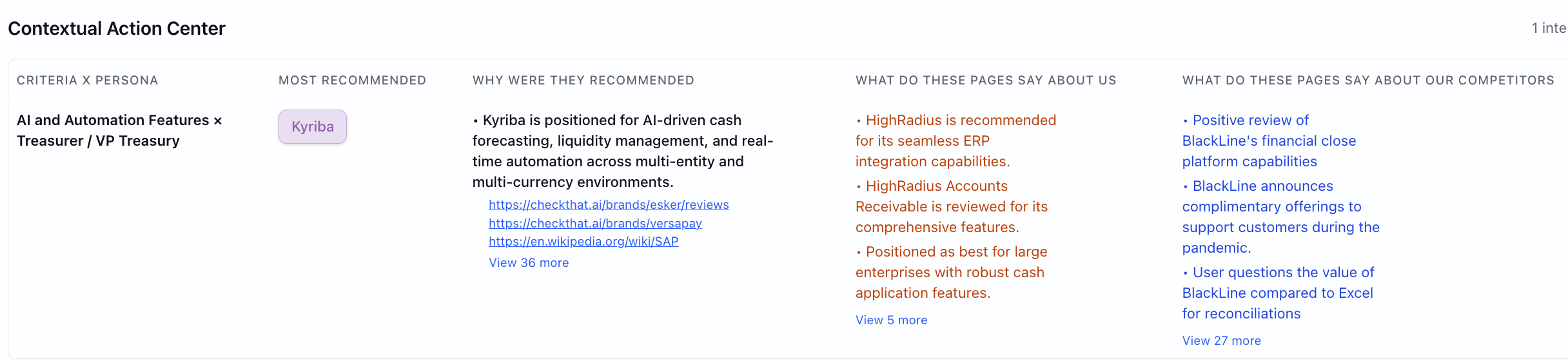
- You get three strategies to focus on first, ranked by what will move your visibility most given where you are right now.

- When the same gap appears across multiple LLMs it shows up as one recommendation, not separately for each engine.
- Every recommendation shows the data behind it. So the logic of prioritization is clear.
5. How well do the parts of the tool work together?
Everything inside a GEO tool should connect. When modules don't read from the same picture of your brand and your competitors, you stop trusting any of them.
PromptWatch
- The core monitoring, recommendation, and progress tracker flow is genuinely connected. Data leads to a reason, a reason leads to a recommendation, and a Kanban lets you track what has been done. For one person running everything, this works well.
- The moment more than one person tries to work inside it, the Kanban becomes a shared workspace where tasks move without context. There is no clean way for a content team member to see only their work, or for the Reddit person to see only theirs. Everything lives in the same view and things shift around.
- Open the dashboard and everything is in a different place. Citations are under Sources. Socials are under Sources. Content creation and content optimization are under Content Agent. Sentiment is under Monitoring. There is no single place that tells you what to do first. You have to move across tabs to piece together your own priority list. For example, Outreach recommendations exist in the Actions tab but there is no workflow connected to them. The suggestion is there. The path from suggestion to execution inside the tool is not.

- When the tool suggests optimizing content for one prompt, there is no awareness of what that does to other prompts you are tracking. You could end up creating five separate pieces of content for prompts that one well-written page would have covered. The tool does not group related prompts or flag the overlap, so you only find out after you have already done the work.
Chosenly
- Every module reads from the same data. What the citation tracker finds, the content module knows. What the outreach module targets, the visibility data already flagged. This matters because when modules read from the same picture, you never do the same work twice and you never miss a connection between what you are tracking and what you should be doing next.
6. How much of the work does the tool do for you?
Recommendations are not execution. A list of things you could do is not the same as the tool doing them.
PromptWatch
- Content generation is the only end-to-end automation. You pick a prompt, run a Content Agent, and get a draft. However, i could not verify the quality of content generated by the tool.
- Outreach is a recommendation only. PromptWatch shows you which domains mention competitors but not you. Writing the email, figuring out the contacts, and running the campaign is on your team.
- Reddit is diagnostic only. Citations are tracked through the Sources tab. There is no thread prioritization, no comment drafting, no posting workflow.
- Positioning and PR have no dedicated modules.
Chosenly
- When Chosenly recommends a content topic, it drafts the first version, built from top-cited pages, your brand guidelines, and team context.

- For listicle outreach, you can opt to run it end to end for you. If not, you get the contacts to reach out to.

- Reddit replies are drafted and ready to post, written to fit the thread and not misrepresent your brand.
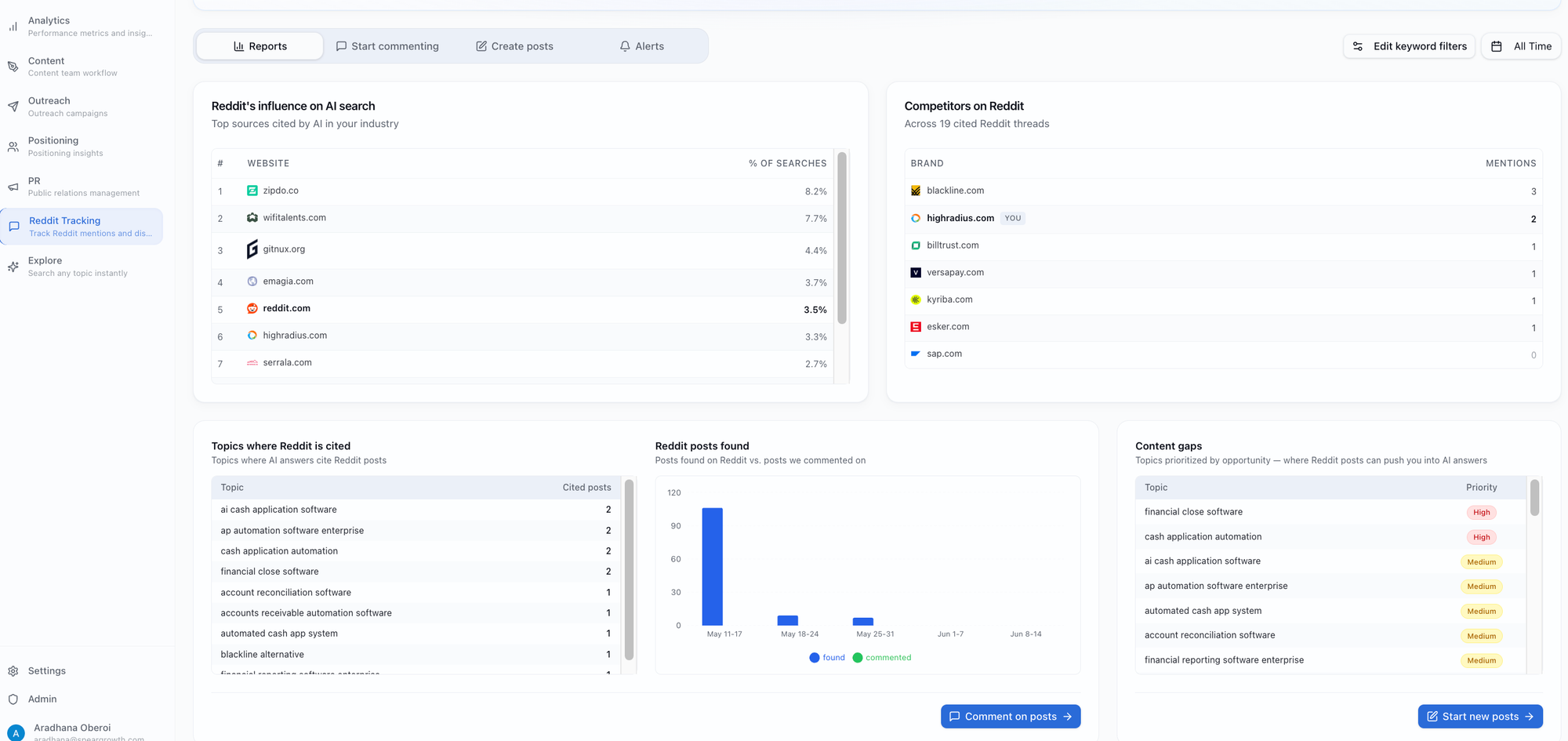
- Existing pages that need a refresh are flagged and updated on one click.
Note: Positioning and PR are not yet as automated as the rest of the stack.
7. Does the tool provide any human support?
Even with the best tool, there are moments when you need someone to either explain what the data means or help you actually do the work.
PromptWatch
- Chat and email support is available on all paid plans.
- Dedicated support is gated to the Business plan at $579/mo. Essential and Professional get the same support tier.
- There is no plan on which PromptWatch runs the work for you. Support covers how to use the product. The execution is always on your team.
Chosenly
- Slack support on every plan.
- Fortnightly calls with a dedicated GEO expert who reviews your data, shares playbooks, and sets a clear action plan with whoever is running GEO on your team.
Pricing: PromptWatch vs Chosenly
PromptWatch pricing

Three things worth knowing before picking a plan:
The $99 plan sounds like a reasonable starting point. But 50 prompts runs out fast for any B2B company with more than one product line or buyer persona. Most teams find themselves needing the $249 plan before they have done anything meaningful.
Chosenly pricing
$400/month and you get 600 prompts, 100 outreach contacts, 20 content drafts, unlimited Reddit threads, unlimited seats, Slack support, and a dedicated GEO expert on every plan.
Verdict: Which AI SEO tool is good for you?
PromptWatch is one of the best prompt tracker we've reviewed in this series. Compared to Peec, Scrunch, and Otterly, it has the most interactive workflow, the widest feature set, and the most connected data-to-recommendation flow.
However, PromptWatch is built for a single person: one person marketing team who owns everything, tracking, content strategy, outreach, Reddit, citations. For that person, the dashboard is useful. But the moment you try to scale beyond that, multiple people, multiple product lines, a content team that is separate from an outreach function, the tool starts working against you. There is no clean way to divide the work. The strategic question of where your team should start this week has no answer in the product.
It is also primarily built for B2C. The shopping insights section, the homepage language, and the customer logos all point in the same direction. B2B teams can use it, but the tool was not designed around how B2B buyers research and evaluate vendors across a long buying cycle.
Choose PromptWatch if you are a single SEO professional or a very small team that wants a capable, interactive prompt tracker and does not need the tool to execute the work.
Choose Chosenly if you are a B2B company where more than one person is involved in GEO, you need the work to actually get done, content, outreach, Reddit, citations, and not just tracked, and you want a tool that tells you where to start, not just what exists.
FAQs
Is PromptWatch a good fit for B2B companies?
PromptWatch works for B2B but was not designed for it. The tool works best when one person owns everything and tracks a focused set of prompts. For a B2B company with multiple buyer personas, a longer sales cycle, and more than one person involved in the GEO program, the limits show quickly. Most B2B teams end up using it to establish that they are tracking AI visibility, 50 prompts on the Essential plan, rather than as the thing driving their actual GEO strategy.
Want to see Chosenly in action?